Loading
Loading OrderBoosts
Preparing your review management experience.

Loading
Loading OrderBoosts
Preparing your review management experience.
Export every review on any Trustpilot business page to CSV or plain text in one click. No scrolling. No account. Completely free.
Approved on the Chrome Web Store and ready to install.
Need calculators and planning tools too? Start in the OrderBoosts Resources hub.
One click on any Trustpilot business page and the extension extracts every loaded review — star ratings, dates, reviewer names, and full text — ready to download or copy.
CSV & plain-text export
Download a CSV file or copy formatted text straight to your clipboard.
100% local processing
Nothing leaves your browser. No servers, no accounts, no tracking.
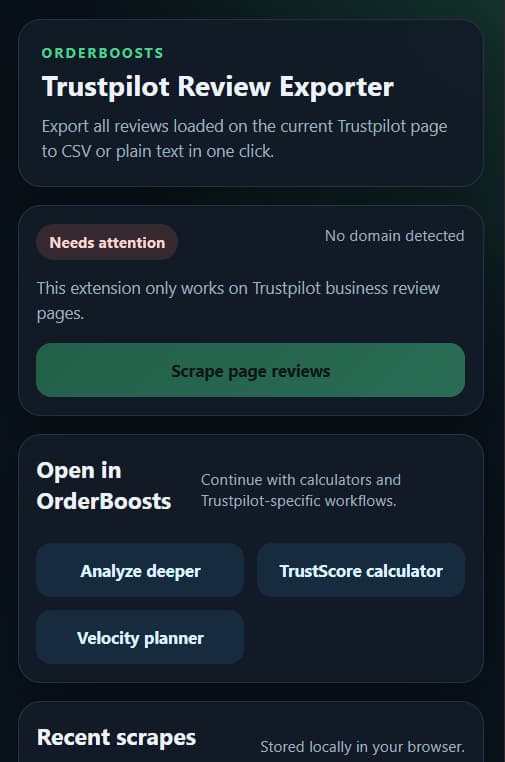
Three simple steps to extract review data for analysis, research, or local backup.
Navigate to any page matching trustpilot.com/review/... in Chrome.
The extension collects every review card loaded in the DOM - no scrolling required.
Export as CSV, copy the CSV, or copy plain text - whichever fits your workflow.
The Trustpilot Review Exporter is a free Chrome extension built by OrderBoosts that lets you export every review from any Trustpilot business page in one click. Whether you need a quick CSV download for a spreadsheet or plain text for a report, the extension handles the extraction instantly — no scrolling, no copy-pasting, and no Trustpilot account required.
Each export captures the full review text, star rating, reviewer name, review date, and a direct link back to the original review on Trustpilot. The data is structured and ready for analysis the moment you download it.
trustpilot.com/review/... page in Google Chrome.Ready to try it? Install the Trustpilot Review Exporter from the Chrome Web Store — it takes less than 10 seconds.
The extension processes all data entirely within your browser. Nothing is sent to OrderBoosts or any third party. Export sessions are stored locally and never leave your device. We use industry-standard browser storage to keep your history private.
Once you have your reviews, use our free tools to plan your next move or browse the full resources hub.
Common questions about the Trustpilot Review Exporter and how to use it.
Yes, it is 100% free with no hidden costs, accounts, or API keys required. We provide this tool to help businesses manage their Trustpilot reputation more effectively.
No. You don't need a Trustpilot account or an OrderBoosts account to use the extension. It works directly on any public Trustpilot business review page.
The extension extracts data already visible on the page: review text, star ratings, dates, reviewer names, and review URLs. It does not access any personal account data.
Once you click 'Export reviews', the popup will show the results. You can then click 'Download CSV' to save a file directly to your computer.
This specific extension is optimized for Trustpilot. For other platforms like Google or G2, we recommend using our online calculators and management services.